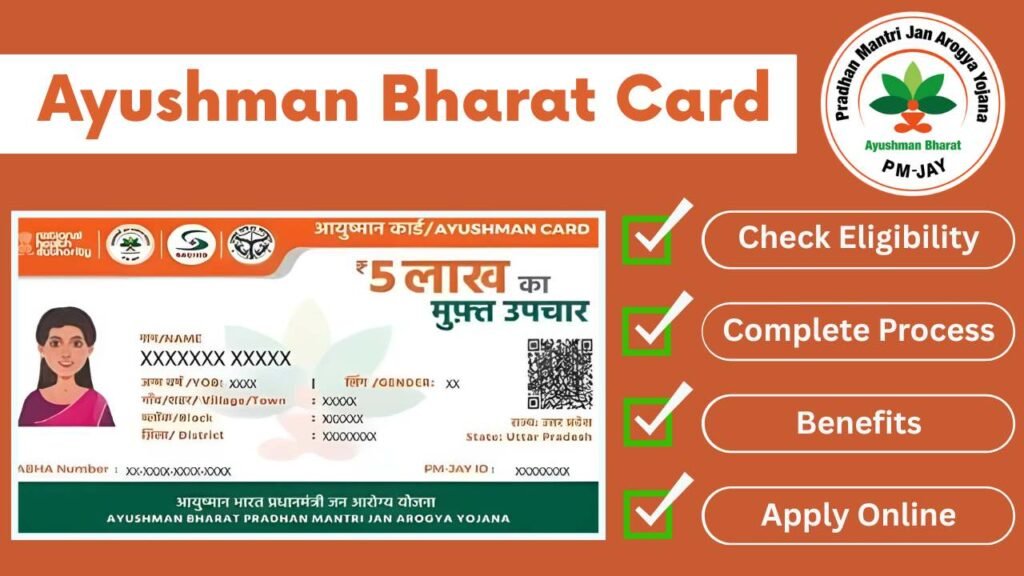
To apply for an Ayushman Bharat card (Ayushman Bharat – PMJAY health card), you need to first confirm your eligibility, then complete e‑KYC and generate the card either online, through the mobile app, or at a nearby help centre.
What is the Ayushman Bharat Card?
The Ayushman Bharat – Pradhan Mantri Jan Arogya Yojana (AB‑PMJAY) card gives eligible families cashless treatment cover up to ₹5 lakh per year at empanelled government and private hospitals across India. It works like a health ID for the scheme and must be shown at the hospital desk to get free treatment under the PMJAY packages.
Basic eligibility and documents
Ayushman Bharat mainly covers poor and vulnerable households identified from the SECC 2011 database and other state‑notified categories such as certain SC/ST and economically weaker sections.
Common documents you should keep ready:
- Aadhaar card for each member you want to enrol (for e‑KYC and biometric/OTP verification).
- Identity and age proof (Aadhaar, PAN, etc.) as accepted on PMJAY/UMANG portals.
- Address proof (on Aadhaar, ration card, etc.).
- Ration card or family document/Parivar Pehchan Patra/PM or CM letter, as applicable in your state, to link and verify family members.
- Mobile number and (optional) email ID for OTP and communication.
Step‑by‑step: apply online via the PMJAY portal
Most people can now generate their Ayushman card from home using the official beneficiary portal (National Health Authority). The common flow is:
- Go to the official Ayushman beneficiary portal (commonly linked from the NHA/PMJAY section at nha.gov.in or beneficiary.nha.gov.in). On the homepage, look for options like “Am I Eligible” / “Register” / “Ayushman Card”.
- Check eligibility:
- Log in as beneficiary:
- Select family member:
- Complete e‑KYC:
- Submit and wait for approval:
- Download Ayushman card:
- Once approved, log in again and use the “Download Ayushman Card” / “Print Card” option to save a PDF or print a physical copy.
Apply using the Ayushman app or UMANG
If you prefer mobile, there are official apps where you can check eligibility and manage the card:
- Ayushman App: The official Ayushman app lets authorised operators and beneficiaries complete Ayushman card creation and download for free treatment entitlement up to ₹5 lakh.
- UMANG App: On UMANG, search for “Ayushman Bharat – PMJAY”, check your eligibility, and follow the in‑app flow for registration/e‑KYC similar to the web steps using Aadhaar, mobile, and basic documents.
Apply offline through CSC or the hospital help desk
If online is difficult, you can apply offline at designated centres:
- Common Service Centres (CSC)/Pradhan Mantri Arogya Mitra desks: In many states, you can visit a nearby CSC or Ayushman help desk with Aadhaar and family proof; the operator will search your name in the PMJAY list, complete e‑KYC, and print the Ayushman card on the spot or after approval.
- Empanelled hospitals: Many PMJAY‑empanelled hospitals have helpdesks where staff check your eligibility on the PMJAY portal and assist with card generation before admission or during registration.
Carry physical copies (or at least clear photos) of Aadhaar, ration card/family document, and your mobile number to make the offline process smoother.
How to check the hospital list and use the card
Before treatment, it is smart to confirm that the hospital accepts Ayushman Bharat:
- Use the official PMJAY hospital search portal (hospitals.pmjay.gov.in) to find empanelled government and private hospitals by state, district, speciality, or hospital name.
- Many state PMJAY sites and private portals also publish updated district‑wise Ayushman hospital lists, which you can cross‑check.
At the empanelled hospital:
- Visit the Ayushman help desk or TPA counter, show your Ayushman card and Aadhaar, and they will verify eligibility on the PMJAY system.
- After approval, your treatment under covered packages is cashless; the hospital settles bills directly with the scheme within the ₹5 lakh family limit.
Quick tips and FAQs
- If your name is not in the PMJAY list but you believe you should be eligible, contact your Gram Panchayat, block office, or district health authority for guidance; some states allow corrections or appeals using local verification letters.
- You can check Ayushman card status anytime by logging in to the PMJAY portal or app with your registered mobile/Aadhaar and opening the “Card Status” section.
- Keep your mobile number active; OTP‑based logins and updates rely on it, and some special senior‑citizen enrollments under AB‑PMJAY also use Aadhaar‑based fast‑track flows.
This is a general guide; always follow the exact instructions and links provided on the official PMJAY / National Health Authority website or your state’s Ayushman portal, since URLs, forms, and required proofs can change over time.